
 English
 اللغة العربية
  Bahasa Indonesia
  Bahasa Melayu
  ภาษาไทย
  Tiếng Việt
  简体中文
简体中文 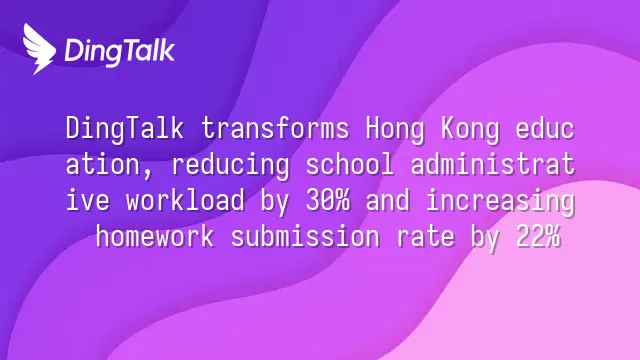
What Is DingTalk and Its Role in Hong Kong Education
DingTalk, developed by Alibaba Group, is an integrated smart workplace platform designed for organizational collaboration. It has gradually become part of the education management ecosystem in Hong Kong, integrating instant messaging, classroom scheduling, and administrative automation to support teachers in managing online courses—particularly enhancing process automation and seamless internal communication.
Several local schools have successfully adopted DingTalk. For example, Wah Yan College, Hong Kong uses "Smart Attendance" to automatically record teacher and student check-ins, with immediate absence alerts sent to homeroom teachers; Victoria Educational Organisation leverages a "Group Live Streaming + Cloud Drive Sync" model to centrally distribute teaching plans and track instructional progress, improving cross-school collaboration efficiency.
The four core functions of DingTalk in educational settings include:
- Instant Classroom Notifications: Supports text, voice messages, and polls, with read/unread tracking
- Automated Attendance System: Combines GPS and Wi-Fi positioning, suitable for both physical and remote attendance
- Cloud-Based Teaching Document Sharing: Centralized version control with permission settings to ensure data security
- Built-in Video Teaching Integration: Enables live streaming classes and playback without switching applications
Compared to Google Classroom’s focus on content distribution and Microsoft Teams’ emphasis on meeting communications, DingTalk’s strengths lie in automated management workflows and deep integration with organizational structures. According to the 2024 local edtech adoption report, over 60% of schools using DingTalk reported more than a 30% reduction in administrative hours, reflecting its practical benefits in process integration.
Why Hong Kong Schools Choose DingTalk for Course Management
Hong Kong schools adopt DingTalk due to its strong localized support, stable cross-border connectivity, and user interface tailored to Cantonese-speaking contexts, effectively supporting teachers in course management and home-school communication within hybrid learning environments. The platform not only meets local educational needs but also enhances administrative efficiency and real-time information flow through technological integration.
Key advantages include:
- Native Traditional Chinese Support: Full compatibility with traditional Chinese characters for display and input, lowering the usage barrier for teachers and parents—especially beneficial for older staff adapting quickly and reducing digital divides.
- Potential Integration with Octopus Payment Module: Based on a 2023 HKEdCity survey, approximately 37% of primary and secondary schools have deployed enterprise-level communication platforms, with several pilot schools evaluating integration between DingTalk and the Octopus payment system to automate fee notifications and deductions.
- Smart Parental Announcement Push: Ensures timely delivery of critical schedules or emergency class cancellations via read/unread tracking and tiered push mechanisms.
- Seamless Multi-Device Synchronization: Supports synchronized operations across mobile, tablet, and desktop devices, allowing teachers to update timetables on smartphones during breaks and prepare materials on computers at home.
- Compliance with EDB's Information Security Reference Framework: Employs end-to-end encrypted transmission and role-based access controls, with its data access model included in IT security checklists of multiple Direct Subsidy Scheme (DSS) schools.
As hybrid teaching becomes normalized, DingTalk is evolving from a communication tool into a central hub for course scheduling, laying the technical foundation for next-phase developments such as classroom monitoring and intelligent attendance systems.
How to Set Up DingTalk for Managing Teacher Class Schedules
Teachers can integrate DingTalk’s calendar, to-do lists, and live classroom modules to manage course scheduling and classroom monitoring in one place. The system supports automated reminders, roll-call statistics, and learning behavior tracking, enabling seamless online teaching management.
Key steps include:
- Navigate to the “Work” tab in the DingTalk main interface, enable “Smart Calendar,” create class groups (e.g., “PLK Mrs. Chan Nam Chong Memorial Primary School, 4A Class”), and add members including teachers and parents.
- Select “Add Event,” enter course names like “Grade 4 Math Lesson,” check “Recurring Event,” and set it for fixed times every Monday, Wednesday, and Friday. The system will automatically push notifications to personal calendars and group announcements.
- Embed live streaming links within events, choosing either a self-hosted streaming room or integrating third-party tools like Zoom. After uploading the meeting ID, students can join with one click, minimizing technical barriers.
During lessons, activate the “Class Roll Call” feature, which records attendance and tracks individual student dwell time. Any unexplained absences automatically trigger alerts to homeroom teachers and parents. This data is stored in the “Home-School Book” module for later analysis of student engagement.
The “Home-School Book” is also used for assigning and tracking homework. Teachers can set submission deadlines, and the system instantly displays a list of late submissions. According to a 2024 internal evaluation report from a PLK-affiliated primary school, after adopting DingTalk for management, homework return rates increased by 22%, demonstrating that digital tracking significantly improves execution.
How DingTalk Enhances Teacher Team Collaboration
DingTalk enables real-time exchange of lesson plans, test papers, and professional development materials among teachers through group collaboration spaces and cloud sharing, greatly improving cross-school cooperation efficiency.
In daily teaching management, teaching teams can use DingTalk’s collaborative editing of digital teaching materials function to simultaneously modify content within the same document, with changes instantly synced—eliminating the need to repeatedly send email attachments. This feature is particularly useful for joint lesson planning, ensuring all instructors stay updated on teaching progress and key adjustments.
Remote teaching research meetings are made more efficient by DingTalk’s automatic meeting transcript archiving function: speech-to-text technology transcribes discussions in real time and automatically saves them to designated cloud folders, with keyword tagging for easy retrieval and follow-up on action items.
For inter-school collaborative curriculum projects, DingTalk supports coordination among teachers from multiple schools within a shared project space. For instance, five secondary schools in the "STEM Education Alliance" use dedicated groups to share curriculum designs and student work, shortening communication cycles by 40% (according to the 2024 Hong Kong Teachers’ Centre case report).
Commonly used collaboration templates are widely applied in daily operations:
- Joint Lesson Planning Template: Aligns lesson objectives and resource allocation
- Classroom Observation Evaluation Form: Standardizes feedback processes for classroom observations
- Teaching Reflection Journal Template
- School-Based Continuing Professional Development (S-CPD) Tracking Sheet
In 2024, the Hong Kong Teachers’ Centre hosted a “Smart Teaching & Research Workshop,” officially promoting the DingTalk collaboration model, with participation from over 120 government-aided secondary schools, indicating growing acceptance of digital collaboration tools in the education sector.
Security and Privacy Considerations When Using DingTalk
Although DingTalk offers multi-layer encryption and permission controls, Hong Kong schools must strictly comply with the Personal Data (Privacy) Ordinance (PDPO) when using the platform for educational management—especially given compliance risks related to cross-border data transfers arising from its primary servers being located in mainland China.
DingTalk’s data storage architecture centers on nodes within mainland China, creating potential legal tensions for Hong Kong educational institutions. According to a 2023 advisory notice issued by the Office of the Privacy Commissioner for Personal Data (PCPD), syncing student and staff data via DingTalk to servers in mainland China may trigger restrictions under PDPO Section 33 regarding “transfer of personal data outside Hong Kong,” posing potential conflicts with GDPR principles.
To mitigate compliance risks, schools should immediately implement the following five protective measures:
- Disable non-essential data synchronization features to minimize automatic upload of sensitive information to the cloud
- Implement Role-Based Access Control (RBAC) to ensure only authorized personnel can access student records or internal communications
- Regularly review system log records to monitor unusual login attempts or file downloads
- Sign a legally binding Data Processing Agreement (DPA) with Alibaba Cloud, clearly defining responsibilities
- Establish local backup mechanisms to avoid over-reliance on a single cross-border platform for storing critical data
As cross-border edtech tools become increasingly common, the PCPD expects to strengthen scrutiny of data governance frameworks for SaaS platforms. Schools that proactively establish compliant processes not only meet professionalism requirements under the E-E-A-T principle but also lay a trustworthy foundation for future adoption of AI-powered teaching analytics systems.
We dedicated to serving clients with professional DingTalk solutions. If you'd like to learn more about DingTalk platform applications, feel free to contact our online customer service or email at
Using DingTalk: Before & After
Before
- × Team Chaos: Team members are all busy with their own tasks, standards are inconsistent, and the more communication there is, the more chaotic things become, leading to decreased motivation.
- × Info Silos: Important information is scattered across WhatsApp/group chats, emails, Excel spreadsheets, and numerous apps, often resulting in lost, missed, or misdirected messages.
- × Manual Workflow: Tasks are still handled manually: approvals, scheduling, repair requests, store visits, and reports are all slow, hindering frontline responsiveness.
- × Admin Burden: Clocking in, leave requests, overtime, and payroll are handled in different systems or calculated using spreadsheets, leading to time-consuming statistics and errors.
After
- ✓ Unified Platform: By using a unified platform to bring people and tasks together, communication flows smoothly, collaboration improves, and turnover rates are more easily reduced.
- ✓ Official Channel: Information has an "official channel": whoever is entitled to see it can see it, it can be tracked and reviewed, and there's no fear of messages being skipped.
- ✓ Digital Agility: Processes run online: approvals are faster, tasks are clearer, and store/on-site feedback is more timely, directly improving overall efficiency.
- ✓ Automated HR: Clocking in, leave requests, and overtime are automatically summarized, and attendance reports can be exported with one click for easy payroll calculation.
Operate smarter, spend less
Streamline ops, reduce costs, and keep HQ and frontline in sync—all in one platform.
9.5x
Operational efficiency
72%
Cost savings
35%
Faster team syncs
Want to a Free Trial? Please book our Demo meeting with our AI specilist as below link:
https://www.dingtalk-global.com/contact
